Four apps built the same way the guides are: one job each, no ceremony, and nothing you have to sign up for. They run in your browser, they keep working with the internet off, and your data never leaves your device.
The same reader as The Fix-It Playbook. One tool for the renovation you're in the middle of, one for the maintenance nobody handed you a schedule for.
Renovations don't blow the budget on one big surprise. They blow it on forty small ones you didn't notice until the invoices arrived.
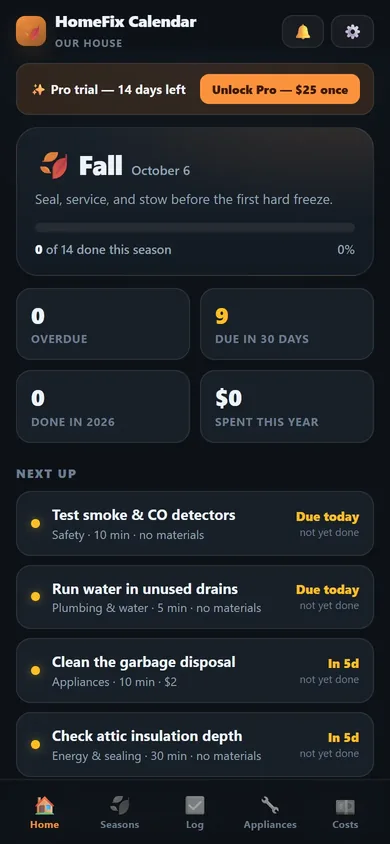
Your house is on a schedule whether you know it or not. Nobody sat you down after closing and said here's what this house needs, and here's when.
Two tools for two different moments: the hours you need to hold attention, and the sixty seconds where beginning is the whole problem. Start with the free one.
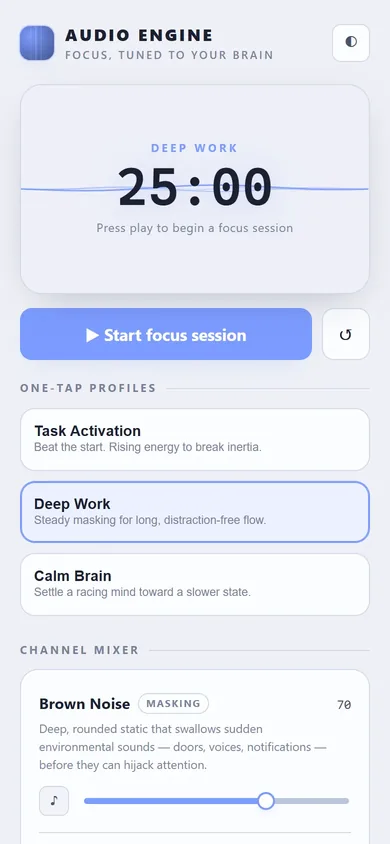
Brown noise, binaural beats and a rhythmic pulse — synthesized live in your browser, wrapped around a focus timer that adapts as your session runs.
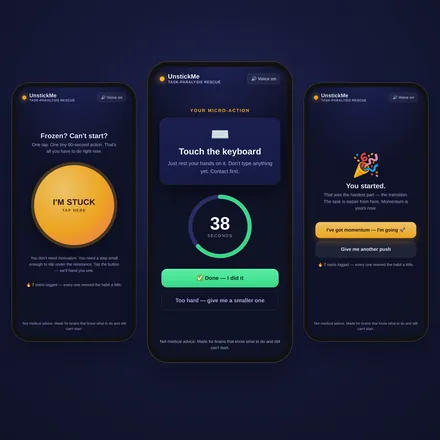
Tap once. Get a 60-second micro-action, a calm voice talking you through it, and a countdown that carries you across the starting line.
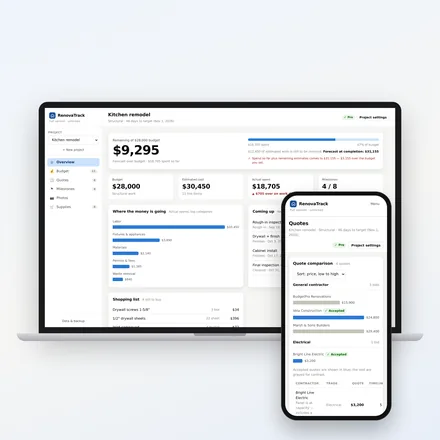
A dashboard for homeowners renovating their own place. Track estimated vs. actual spend, compare contractor quotes side by side, hit your milestone deadlines, log progress photos, and keep a running supply list — across unlimited projects. It's built around forecasting where you're heading, not where you've been.
It opens with a realistic sample kitchen remodel so you can see every feature working immediately. One click deletes it.
Fourteen days free first — no card to start. A renovation overrun is measured in thousands; twenty-nine dollars against a $30,000 project is 0.10% of the budget, paid once. Buy the tool, keep the tool.
No. You pay $29 once and the app is yours — no renewal, no card on file, nothing to cancel. It runs on your device, so it keeps working whether or not we're still here.
The app becomes read-only. You keep seeing everything, and export keeps working. We're not going to hold your renovation records hostage.
On your device, in your browser. No account, no server, nothing uploaded. Export a JSON copy any time — and do that before switching devices or clearing your browser.
Yes, fully responsive. Add it to your home screen for a full-screen experience. Logging expenses and photos on-site is the point.
It's built for one person's device, so there's no shared login. Most people use the Print / Save as PDF export to share a clean status report with a contractor, spouse, or lender.
You didn't get a manual. So you find out the expensive way — the roof leak that started as three lifted shingles, the AC that died in a heat wave because nobody rinsed the condenser, the water heater that rusted through because sediment sat in the tank for nine years. None of that is a skill problem. It's a knowing-when problem.
| What you get | Free | Pro |
|---|---|---|
| Current season checklist | ✓ | ✓ |
| Reminders | ✓ | ✓ |
| All four seasons | — | ✓ |
| Appliance records | 2 | Unlimited |
| Cost projections & replacement reserve | — | ✓ |
| Full exportable log | — | ✓ |
| Custom tasks | — | ✓ |
| Price | $0 | $25 once |
You can, and it'll list chimney tasks you don't need and skip the sump pump you do. It also won't remind you, won't remember what you did, and won't tell you what any of it costs.
No. Everything lives in your browser on your device. No account, no server, nothing to breach. Export a backup any time.
Multi-property is on the roadmap. For now the app handles one home well.
That depends on your browser and platform — notification support varies, and iOS Safari is the most restrictive. The app checks what your device allows and tells you plainly in the Reminders sheet rather than pretending. Try it on the phone you'd actually use before you rely on it.
Most focus audio is a playlist. Someone recorded a track, and you press play on it. This isn't that. Every sound here is synthesized in your browser, in real time — which means the beat can shift as your session progresses instead of looping the same four minutes for an hour. It also means there's nothing to stream, nothing to download, and nothing that stops working on a bad connection.
Which channel mix to reach for and when, how to use the timer when starting is the hard part, and headphone setup for the binaural channel.
Audio tools support focus; they are not a treatment for ADHD. Use headphones for binaural channels.
You're not lazy. You're stuck at the starting line — and that's a real, fixable executive-function problem. Task paralysis isn't about wanting it badly enough. Your brain floods the instant it tries to sequence, size, and motivate a task all at once. The result: you stare at the thing you need to do, anxious and frozen, while the shame piles up.
UnstickMe is built on one principle: you don't need motivation to start — you need a step too small to refuse. Movement first. Momentum second. Motivation shows up last.
| Buy it as | Price |
|---|---|
| App only | $9.99 one-time |
| Toolkit only — Emergency ADHD Task-Initiation Toolkit | $17 |
| Bundle — app + toolkit | $19 |
The Emergency ADHD Task-Initiation Toolkit — the 90-Second Emergency Protocol, 12 task-initiation protocols, 10 printable Starter Cards, and 15 friction reducers — is the keep-it-working half. The app is the in-the-moment half.
No. The app is a one-time $9.99 unlock and works offline. The toolkit is an instant download.
No — it's a tactical tool for the moment you're frozen, not a treatment. Educational, not medical advice.
Any modern browser. Add it to your phone's home screen for a full-screen, app-like experience.
Each app has a guide that works on its own — no download gate, no email required. Print them, tick them off, and use the app when you want the tracking done for you.
Which sound to reach for, when, and why. The frequency cheat sheet, three preset protocols, and the Eliminate · Mask · Accept framework.
All 70 tasks sorted by season, each with a checkbox, how long it takes, what the parts cost, and one line on what happens if you skip it.
Three bids side by side on the same terms, the five checks every bid should pass, and how to spot a lowball before you sign it.
The apps handle the tracking. The playbooks handle the part where you have to actually do the thing.
Illustrated step-by-step DIY repair guides with honest cost comparisons. The natural companion to RenovaTrack and HomeFix Calendar.
Open the library → Free KitFill-in-the-blank AI prompt guides for 23 businesses. Grab the free 7-prompt Starter Kit.
Open the library →New apps, new features, and the occasional guide that goes with them. Drop your email and we'll send a heads-up. That's it.
No spam. Unsubscribe any time.
We'll email you when a tool ships or gets a meaningful update.